








BzMiner setup for Pearl
The BzMiner command line for Pearl on NVIDIA, AMD and Intel GPUs, why it uses --cpu 0, how to switch on TLS, and where to watch the rig.
BzMiner for Pearl in short
BzMiner runs on NVIDIA, AMD and Intel GPUs. Here is what it offers:
- Hardware: NVIDIA, AMD and Intel GPUs.
- Systems: Windows and Linux.
- Dev fee: 2%. A dev fee is the cut the program's author takes from your mining.
- Extra: a built-in web dashboard for watching the rig remotely.
- Download: only from its official GitHub releases page, linked on the How to Mine page.
The command line to start mining
Use the command for your system. Replace the region and the wallet with your own. The How to Mine page fills them in for you automatically.
bzminer.exe -a pearl -p stratum+tcp://de.pearl.herominers.com:1200 -w YOUR_PEARL_ADDRESS.worker1 --cpu 0./bzminer -a pearl -p stratum+tcp://de.pearl.herominers.com:1200 -w YOUR_PEARL_ADDRESS.worker1 --cpu 0The name after the dot in the wallet value is your worker name. It is how this rig appears on your dashboard.
Why the command includes --cpu 0
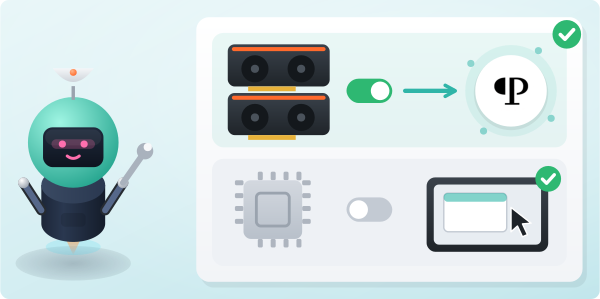
BzMiner also mines on the processor unless told not to. Pearl is mined on GPUs, so --cpu 0 keeps the CPU out of it. That keeps the rig responsive. Leave it in the command.
How to use an encrypted connection (TLS)
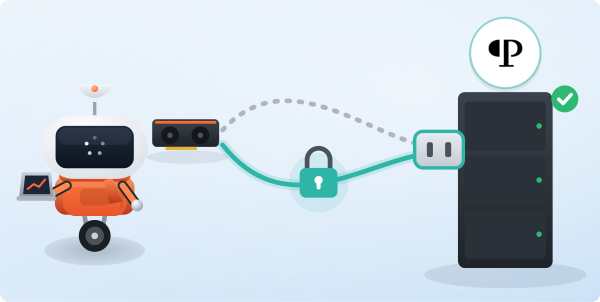
TLS encrypts the link between your rig and the pool. To use it, change the scheme to stratum+ssl:// and keep port 1200. The pool serves both plain and encrypted connections on the same port.
Where to watch the rig
While mining, BzMiner serves a local status page. Open it in a browser on the same machine. It shows hashrate, accepted shares and GPU health.
Your numbers as the pool sees them are on this site. Type your wallet address into the search box on any page.